Mister Cool.
Some great photos of Steve McQueen from 1963.

Mister Cool.
Some great photos of Steve McQueen from 1963.
I recently discovered a unique archive of photographs. They are the work of a man named Nick De Wolfe.

I had never heard of Mr. De Wolfe, but suffice to say he was quite an interesting man. He snapped a lot of pictures throughout his life, and was one hell of a photographer. The voluminous stacks, accumulated over a lifetime, are currently being scanned by De Wolfe’s son-in-law, Steve Lundeen.
I was fascinated paging through the images from all over the world- some from places I have visited. One of the more interesting sets involves a vacation trip from New York to Stockholm in 1959. For highlights and a wonderful explanation of this unique archive visit A Continuous Lean.
Or view the entire collection on Flickr…
Imagine what you could do with little roller skate wheels on your compact tripod.
You could do things like this…
It’s a thoroughly amazing yet simple idea!
Cineskates attach to the feet of the popular Gorilapod flexi tripods. Then it’s just a simple matter of driving it around with a compact video camera. Very cool stuff.
No matter what you call it, everybody loves a parade.
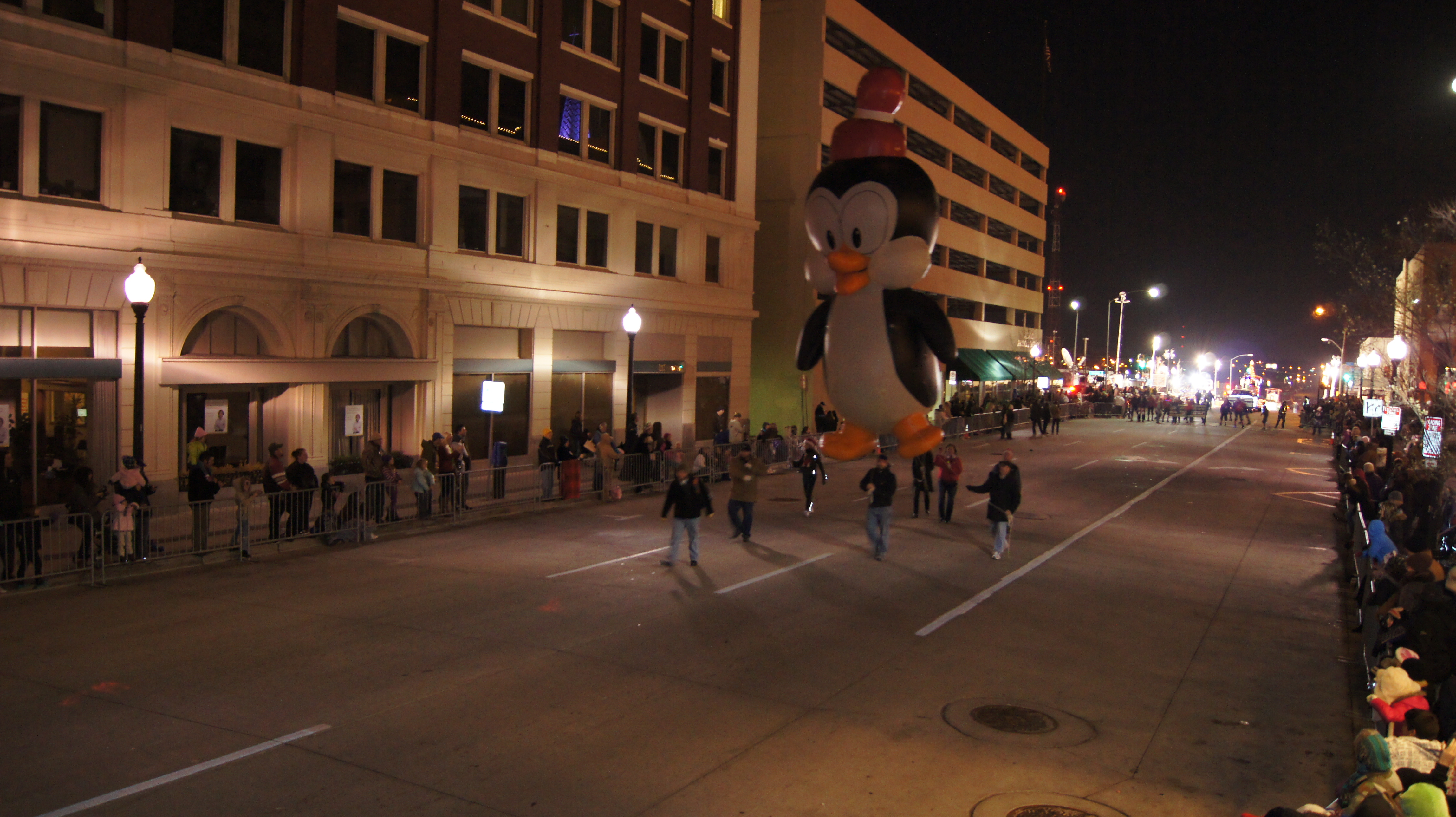
Here are some highlights from the 2011 Parade of Lights that traveled through downtown Tulsa this evening. The zany snowman sponsored by Fab Lab Tulsa stole the show with its snappy soundtrack and authentically smoking corn cob pipe.
And a couple more photos….
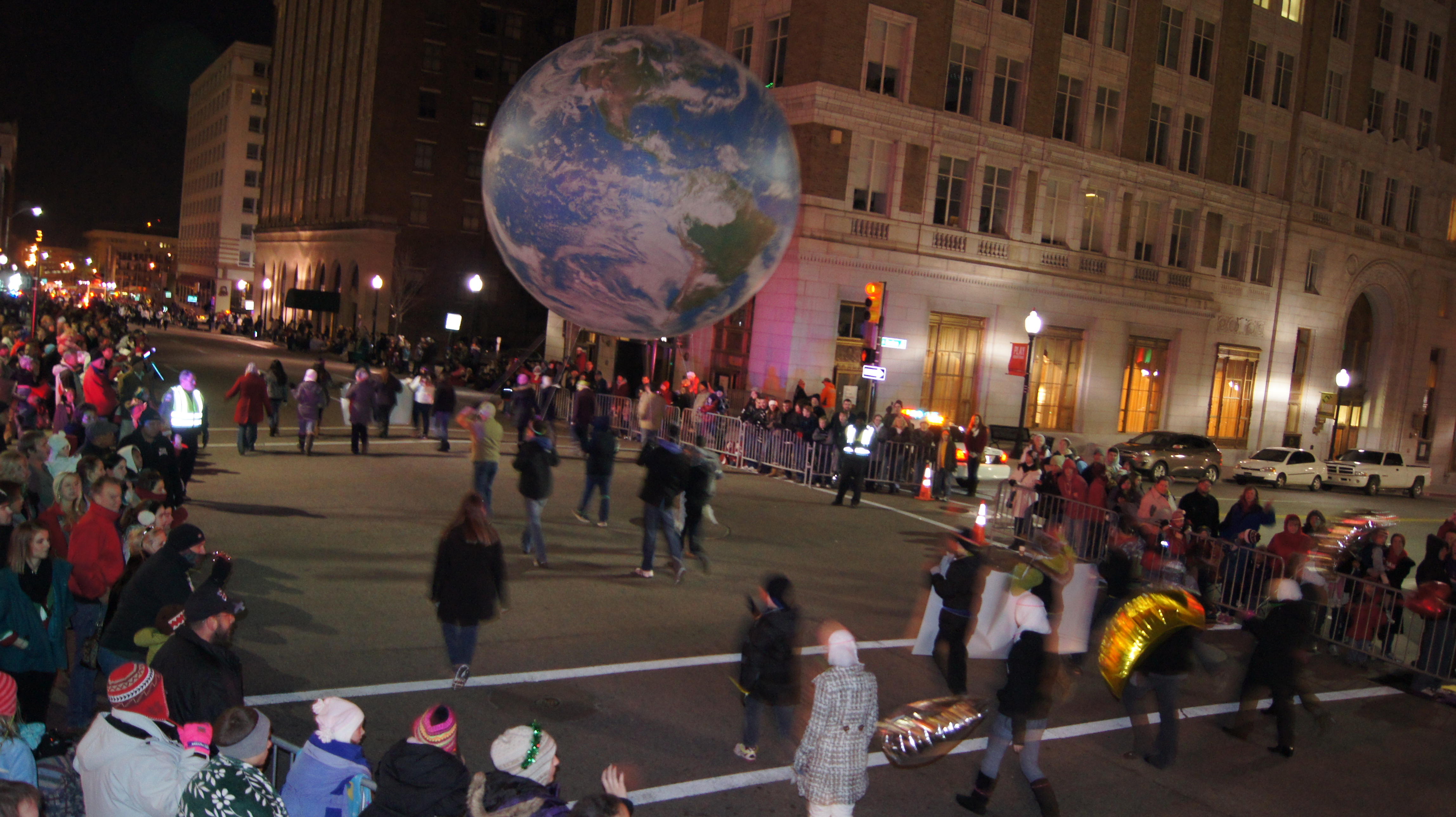
I snapped these with my Pole Saw Picture Taker using a Sony A33 with an infrared remote. Worked great until the camera battery died. D’oh!
How Your Images Can Attract a Crowd
Getting more people to visit your website or blog is a universal goal for most anyone. I mean, anyone that has a website or blog. Once you scrape the surface of that topic you will immediately run into the phrase Search Engine Optimization, or SEO.
SEO is simply making your pages and content as friendly as possible to search engines like Bling and Google. The ins and outs of SEO are complicated. There are tons of books written on the subject and I have no intention of delving into the complexities of all that. But one little snippet I recently discovered is worth sharing.
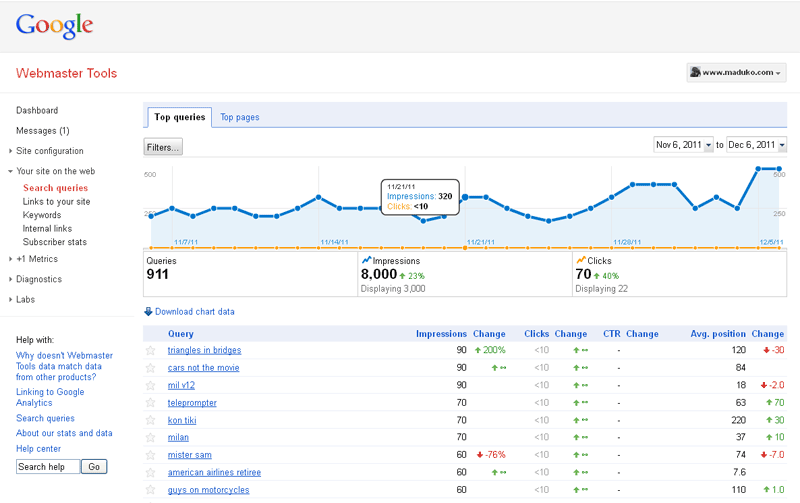 If you’re working on increasing traffic to your site you’re probably familiar with Google’s Webmaster Tools. If you aren’t you probably should be. Google’s toolbox allows you to see how the search engine is indexing your site (or not) and report on how your site fares in particular search results. The main page (right) display the performance of your site based on how many searches your site showed up on. The values are given as Impressions (showed up on the search results) and Clicks (someone actually clicked to visit your site).
A couple of weeks ago I happened to notice that little button on the left of the graph that says Filters.
Filters allow you to zero in on certain types of searches- mobile, image, web, etc. I was amazed to learn that the majority of search traffic being reported was from image searches. When I filtered the graph to display web searches the numbers plummeted. I was reduced from thousands of search hits to a handful.
Obviously your mileage will vary. If your site has more images you will probably see more search traffic from images searches. This can also increase by optimizing your images. Many bloggers overlook this simple but effective step- here’s how to do it…
Any or all of these suggestions will make your images more friendly to the robots that constantly troll the Web on behalf of search engines. Once they find and index them you should see an increase in visits to your site from image searches. Then all we have to do is entice those visitors to stay for a while.
But that’s a story for another day.